
STEP1
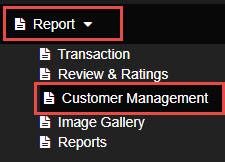
Go to Reports, then find Customer Management
STEP2
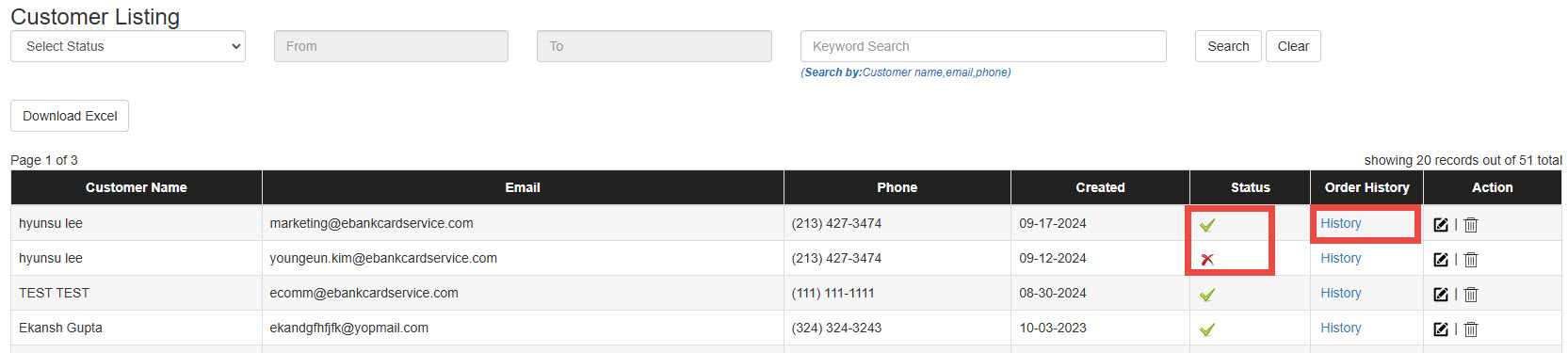
All customer information will be displayed as shown in the image below.
STEP3
Customer Status
If the status is “x”, it means the customer has not completed email verification.
Click History to access the Customer Detail page. Then, click Orders to view the customer’s order history.
