
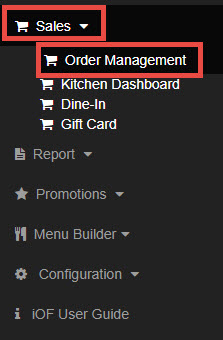
STEP1
Go to Sales, then find Order Management
STEP2
You can view the details of orders with successfully processed card transactions.
Order No (=Order ID)
Click this to view the detailed order information
Status
Yellow Color: Pending / In-Preparation / Ready for Delivery / On the Way / Ready for Pickup /
Gray Color: Delivered / Picked up / Confirmed / Order not Processed
Action Icons
First Icon: Email
Second Icon: Receipt Printer
Third Icon: Kitchen Printer
Bold icon: Indicates that the Printer did not print
Gray icon: Indicates the printer printed successfully
