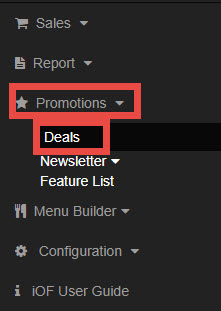
Go to Promotions, select Deals.
- Choose Coupons
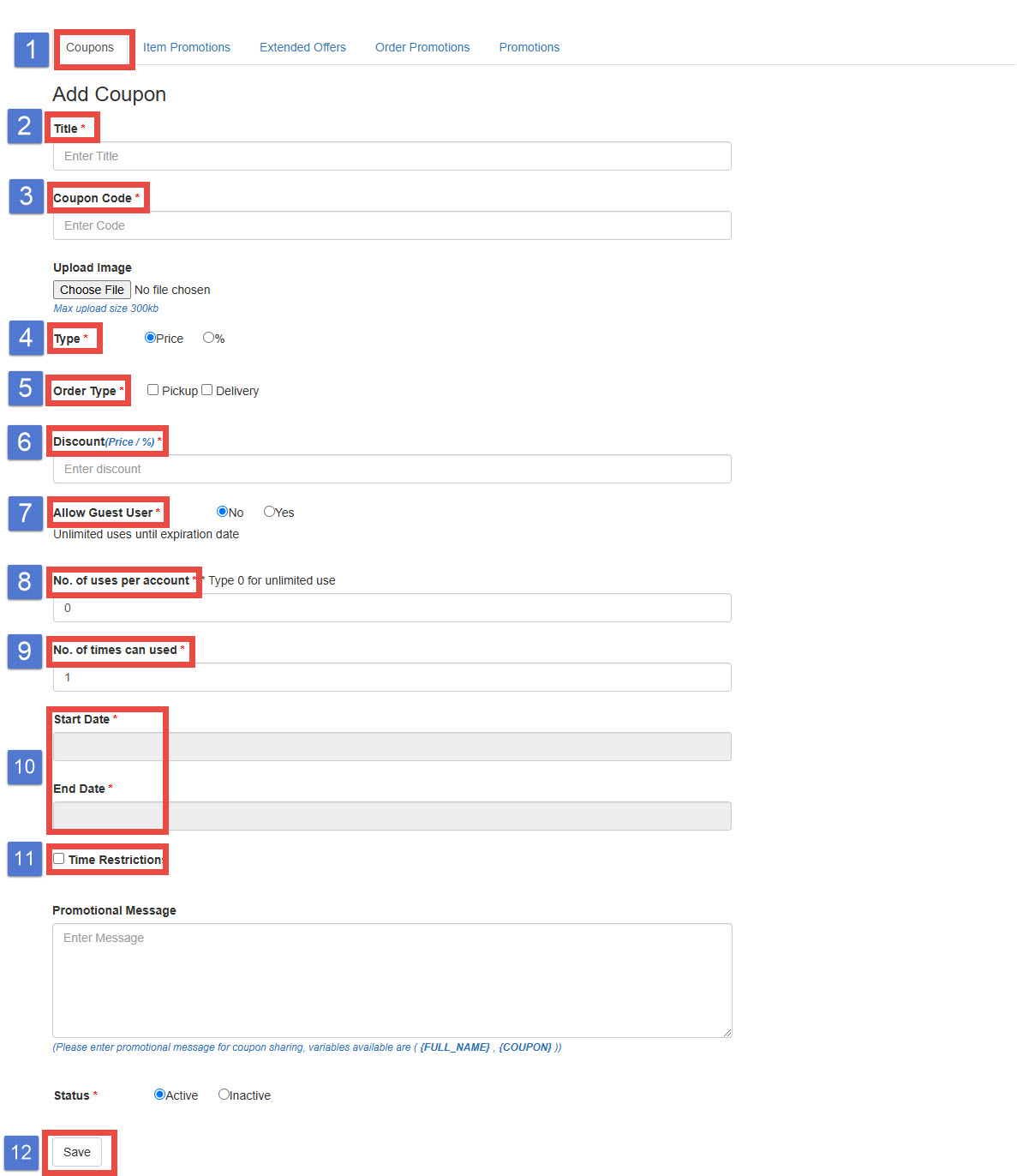
- Title: Title this coupon to identify it. The title is visible only to admins.
- Coupon Code: Insert an alphanumeric coupon code that your customers will use. The code is not case-sensitive.
- Type: Choose whether the coupon code will take a dollar amount off or a percentage off the order
- Order Type: Choose the order type to apply the coupon adjustment.
- Discount (Price/%): Enter the amount of discount to apply.
- Allow Guest User: Set whether guest users can use the coupon.
- No. of uses per account: Decide how many times each account on your website can use the coupon. If set to 0, the customer can use it unlimitedly.
- No. of times can used: Set how many times the coupon can be used
- For example, when the coupon is used once by a customer, the next attempt will be disabled.
- Set the coupon active dates.
- Time Restrictions: Check to add time limitations.
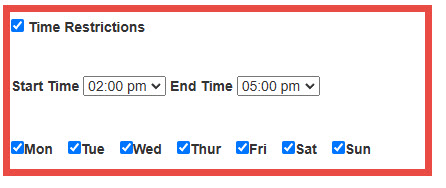
- For example, if you would like the coupon for a certain time like happy hour, you would select the specific date/time activity. The coupon would only be available from 2 PM to 5 PM, and the setting would look like this.
12. Save