
DOWNLOAD
1. Navigate to Menu Builder → Menu Builder.
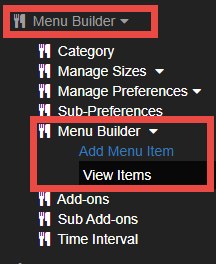
2. Choose Add Menu Item or View Items.
3. Click Upload Menu (1)
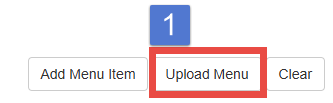
4. Then, click Sample Download (2).

5. The menu excel file will be downloaded.
6. You can download Category, Size, Preferences, and Sub-Preferences in the same way.
EDIT THE DOWNLOADED EXCEL FILE
1. When you edit the menu file, we strongly recommend you to duplicate the excel file and keep the original menu file.
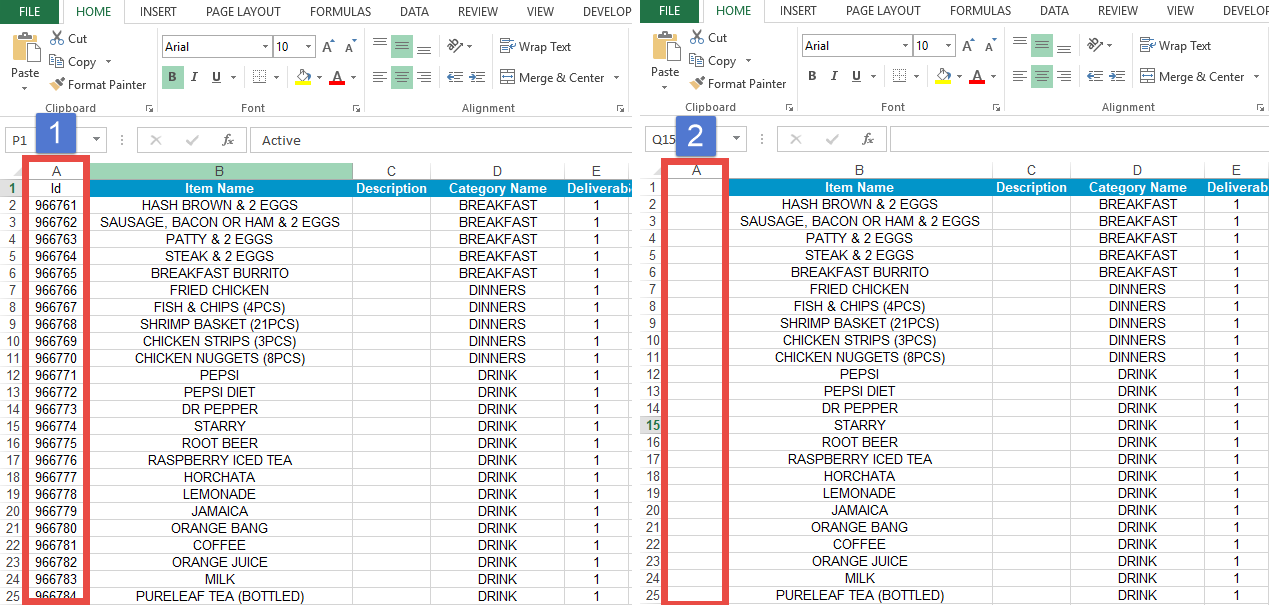
2. The downloaded excel file contains an ID number (1)
3. Delete the all the numbers in the ID row (2).
4. After that, start changing the price or other menu information.
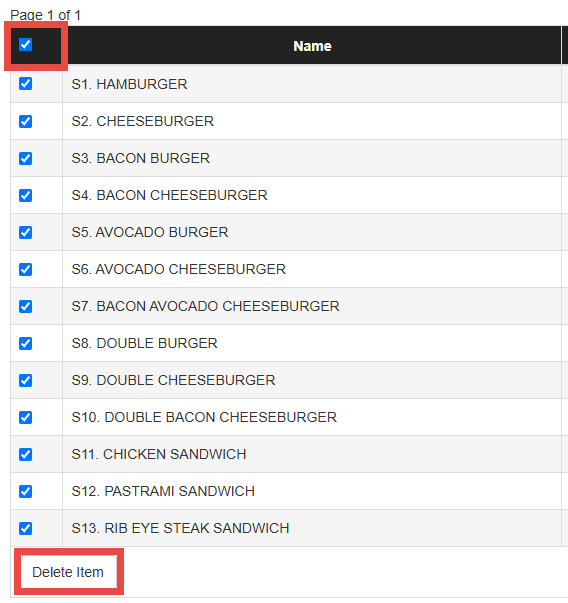
DELETE PREVIOUS MENU ON THE WEBSITE
Before uploading the new menu file, make sure to select all previous menu items using the checkbox and then delete them from your online ordering website.
UPLOAD
1. Navigate to Menu Builder → Menu Builder.
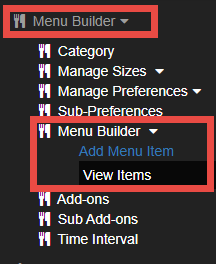
2. Choose Add Menu Item or View Item.
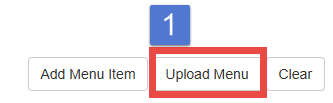
3. Click Upload Menu (1).
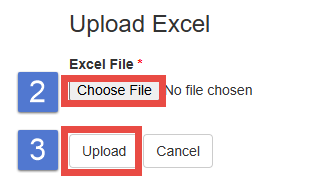
4. Click Choose File (2) and the Upload button (3).
5. Make sure the ID row is empty before uploading the file.
6. You can download other sections (Category, Size, Preferences, and Sub-Preferences) in the same
way.