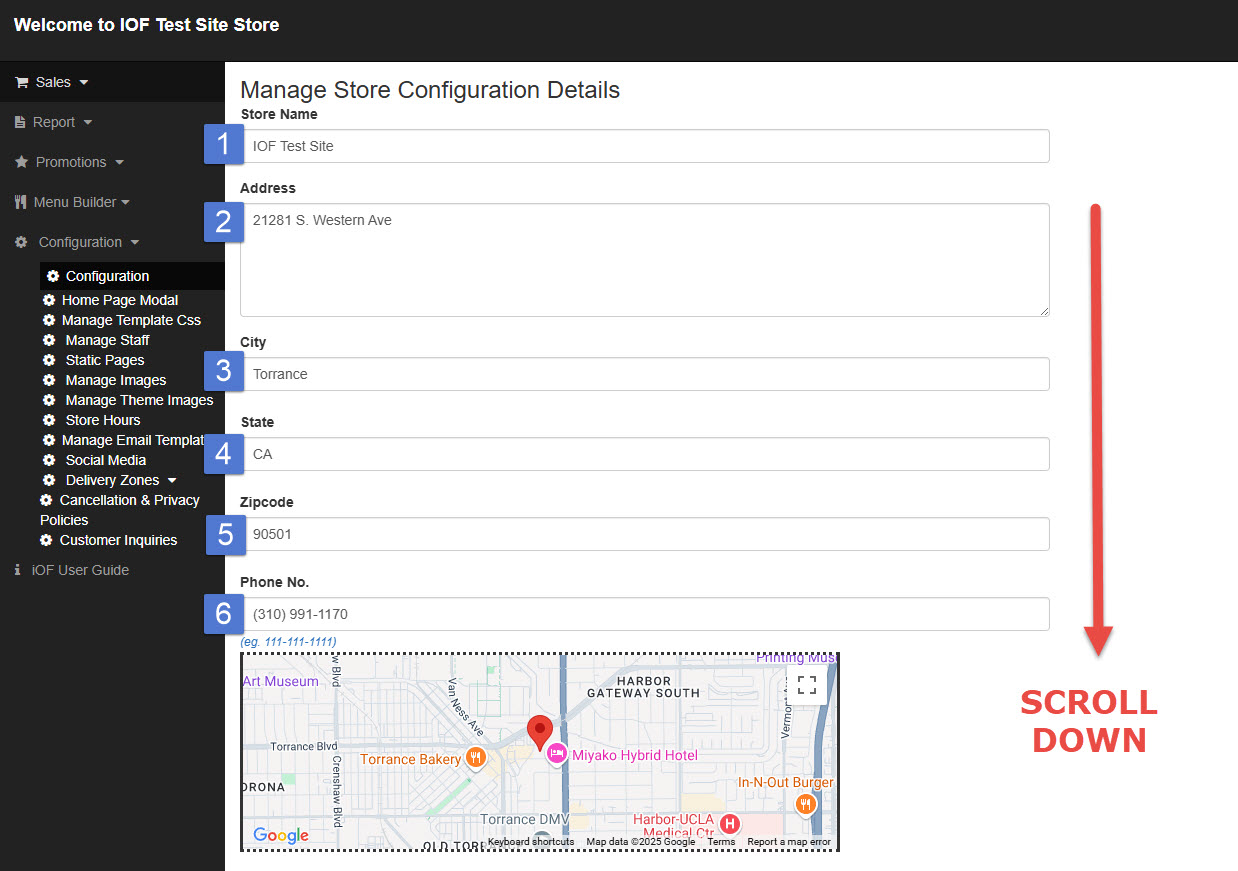
To update your store’s basic information:
1. Go to Configuration and select Configuration.
2. Edit the necessary store details such as Store Name, Address, or Phone Number.
3. After making changes, scroll down and click Save to apply the updates.

To update your store’s basic information:
1. Go to Configuration and select Configuration.
2. Edit the necessary store details such as Store Name, Address, or Phone Number.
3. After making changes, scroll down and click Save to apply the updates.