
Sales Tax Update
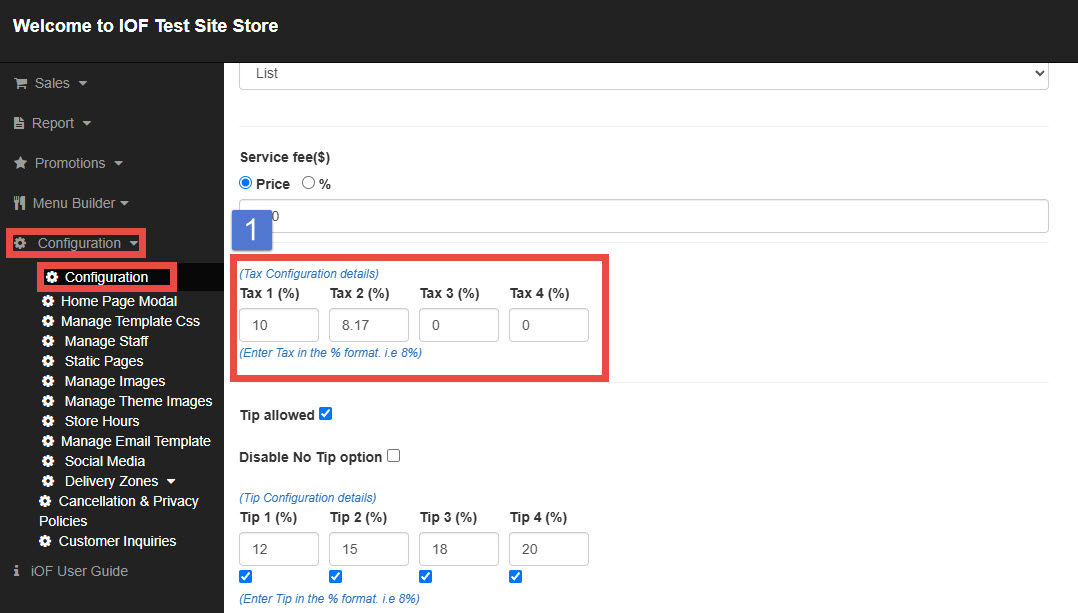
To update your store’s sales tax settings:
1. Go to Configuration and select Configuration.
2. Scroll down to the Tax section.
Setting Details
You will see four available tax fields. In most cases, the tax applied to menu items is set under Tax 1.
To update:
Enter the new tax rate under Tax 1. (e.g., 10).
Scroll down and click Save to apply the changes.