
Description:
This setting allows you to control how many days in advance customers can place their orders. You can choose to allow same-day orders only or enable orders up to several days in advance.
Tip:
If possible, avoid allowing orders too far in advance. It may be challenging for employees to manage the Order Ready Date accurately, which can lead to operational issues. Additionally, the more days in advance an order is placed, the higher the chance the customer may forget or cancel, requiring additional coordination with the customer.
STEP1
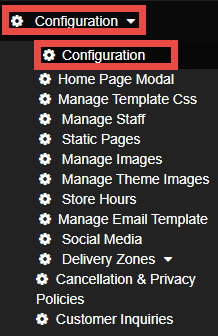
Navigate to the Configuration and select Configuration.
STEP2
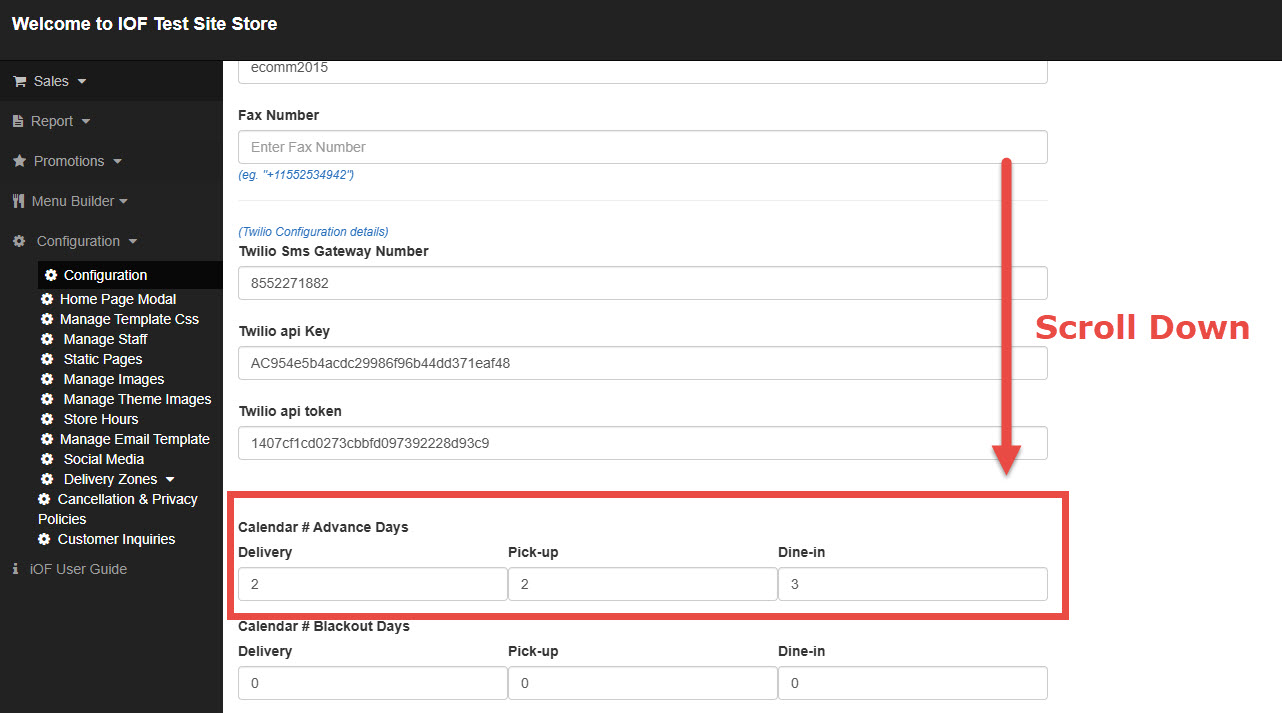
Scroll down to find the “Calendar # Advance Days” setting.
STEP3
Set the number of days customers are allowed to schedule an order in advance.
For example, if you want to allow customers to order only on the same day, input 1.
STEP4
Click Save to apply the changes.