STEP 1.
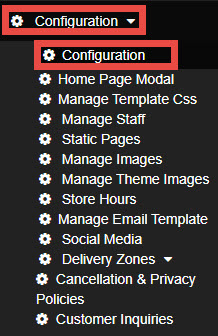
Navigate to Configuration and select Configuration.
STEP 2.
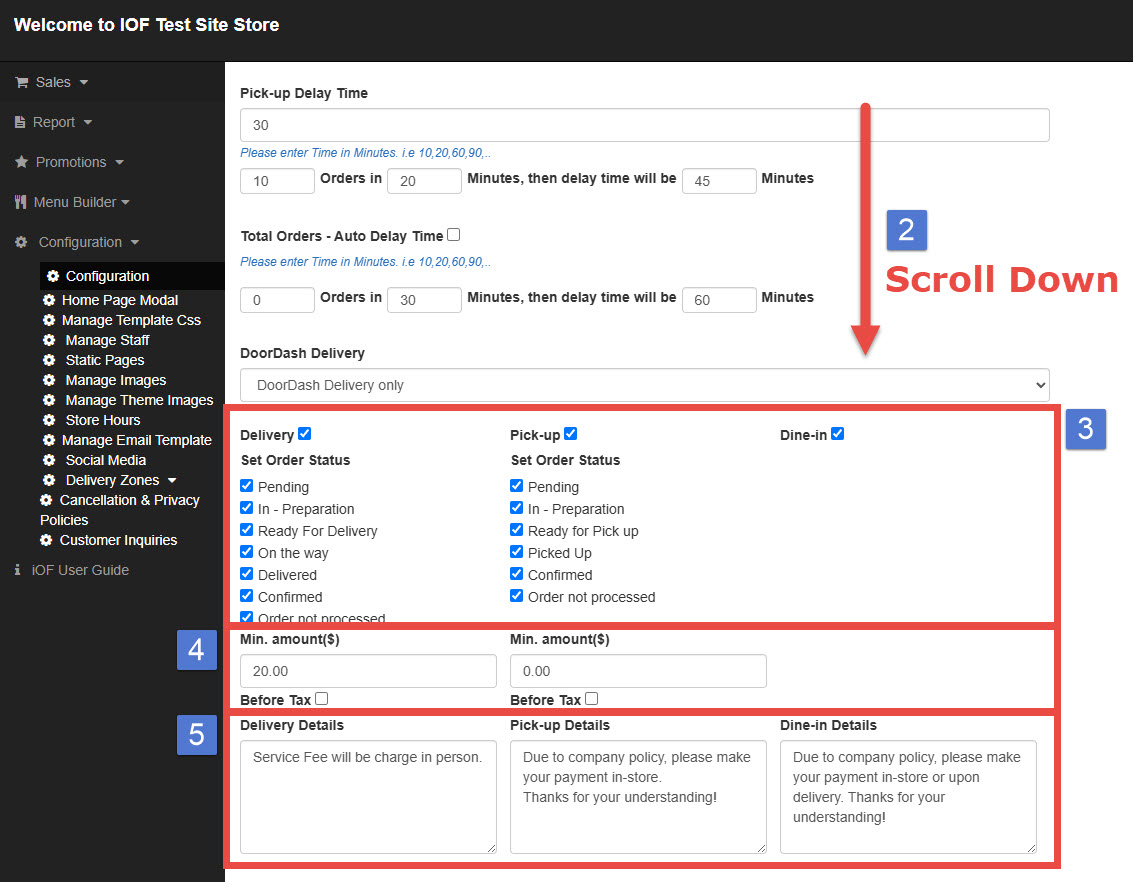
Scroll down to the Order Type section.
You’ll find options for different order types:
Delivery
Pickup
Dine-in
STEP 3. ENABLE or DISABLE ORDER TYPES
Check or uncheck the boxes to enable the order types your store supports.
You can also set order status options. These status updates will be sent to customers via email notifications.
If you enable Dine-in, your website will include a reservation feature that allows customers to make a dine-in request online.
STEP 4 (Optional)
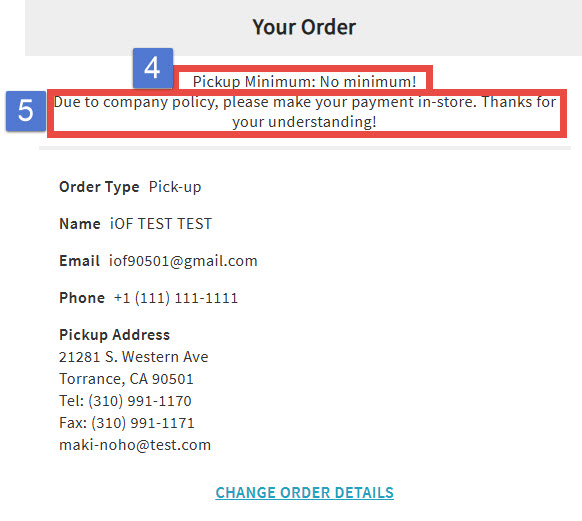
Set a minimum order amount for each order type, if needed.
STEP 5 (Optional)
Add a custom note that will appear on the checkout page when customers place their orders.
RESULT