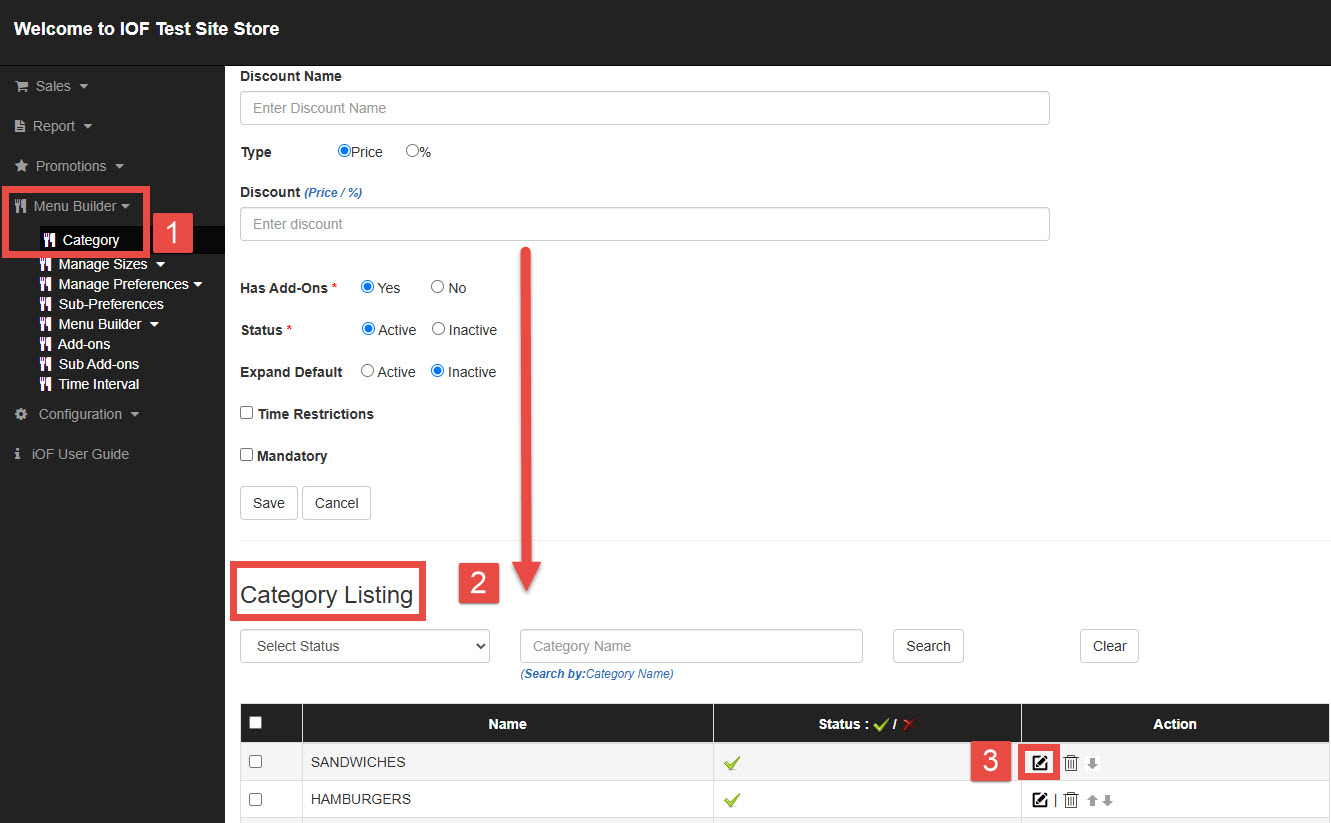
STEP1
(1) Go to Menu Builder, and Select a Category
(2) Scroll down to the Category Listing (or create a new category).
(3) Click the edit icon for the category you want to update.
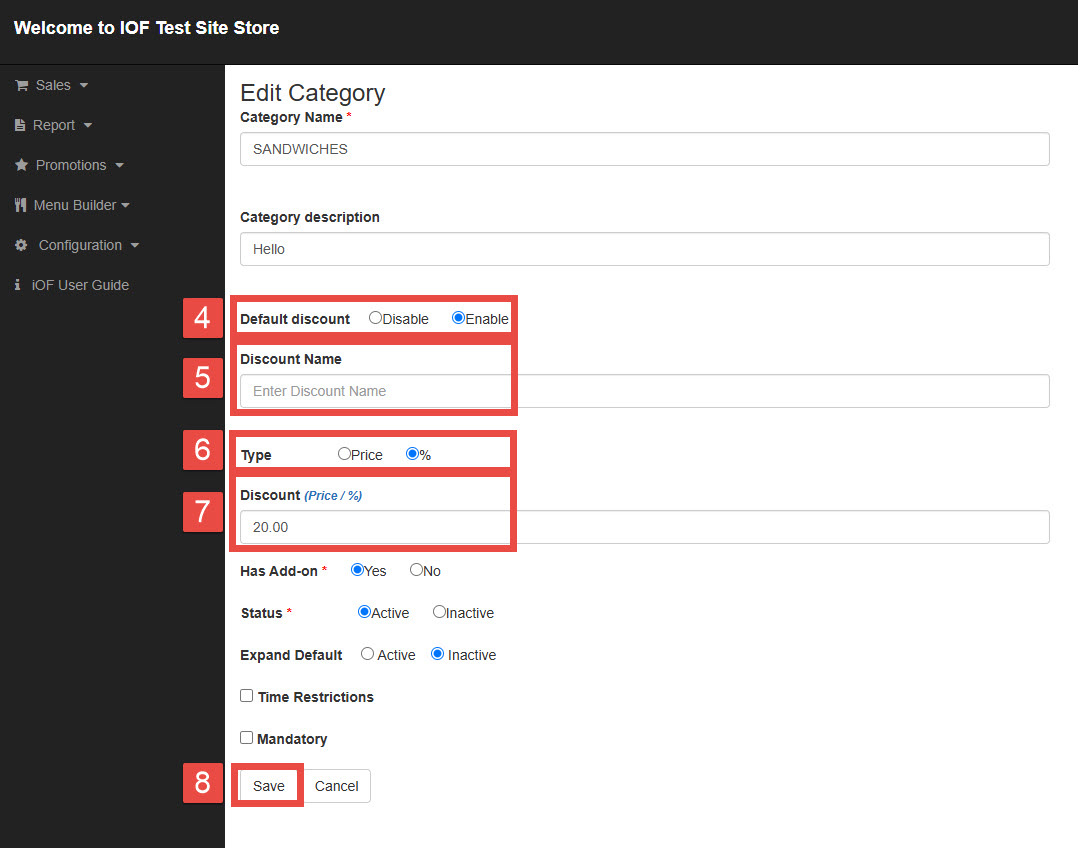
STEP2
(4) Change Default Discount Setting to Enable.
(5) Enter a Discount Name.
(6) Choose the Discount Type.
(7) Enter the discount amount or percentage.
(8) Click Save.