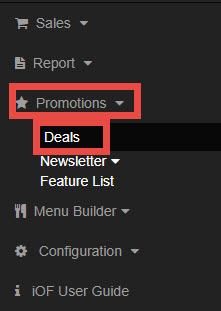
Go to Promotions, select Deals.
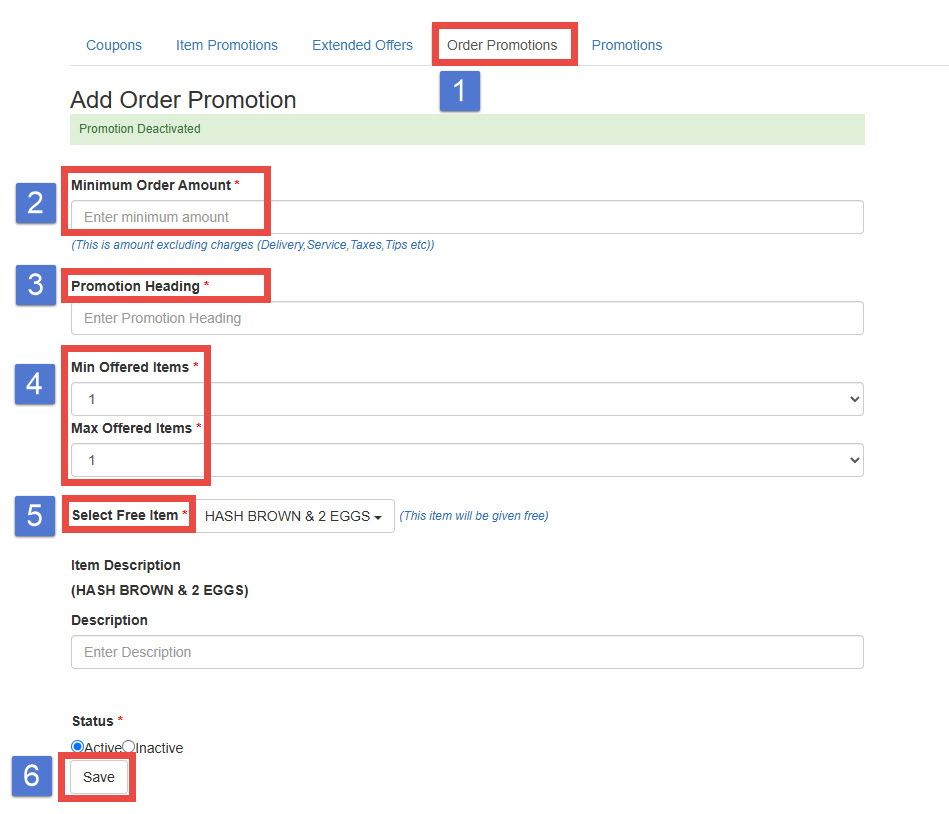
1. Choose Order Promotions
2. Minimum Order Amount: Enter the minimum order amount required for the promotion to apply.
This amount excludes Delivery Fee, Service Fee, Sales Tex, and Tip.
3. Promotion Heading: Create a promotional headline that will appear on the payment screen for
customers who meet the minimum order amount.
Example: Get a Free Ice cream with Orders Over $50!
4. Set the Minimum and Maximum Number of Free Items
5. Select Free Item: You can select multiple items if applicable.
6. Save