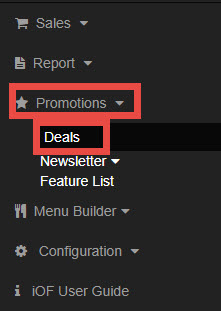
Go to Promotions, select Deals.
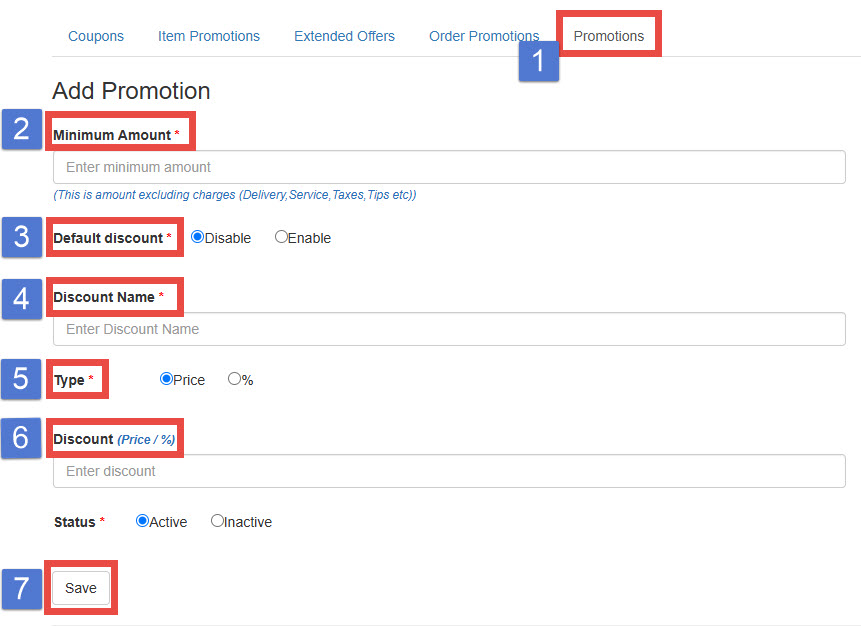
1. Choose Promotions
2. Minimum Order Amount: Enter the minimum order amount required for the promotion to apply.
This amount excludes Delivery Fee, Service Fee, Sales Tex, and Tip.
3. Default Discount: If enabled, the discount will be applied automatically. If disabled, the discount will not apply, and the item will remain at its original price.
4. Discount Name: Enter the promotion name. This name will appear at the cart stage.
5. Type: Choose either “Price” or “Percentage.”
6. Enter Discount Amount or Percentage.
7. Save